All your privacy.In one app.
A whole private desktop on your iPhone: a browser with Tor built in, an encrypted vault, a panic password, offline chat and games, and AI that stays on your device.
- No account
- No tracking
- On-device
- Open-source relay
One app.Ten ways to stay private.
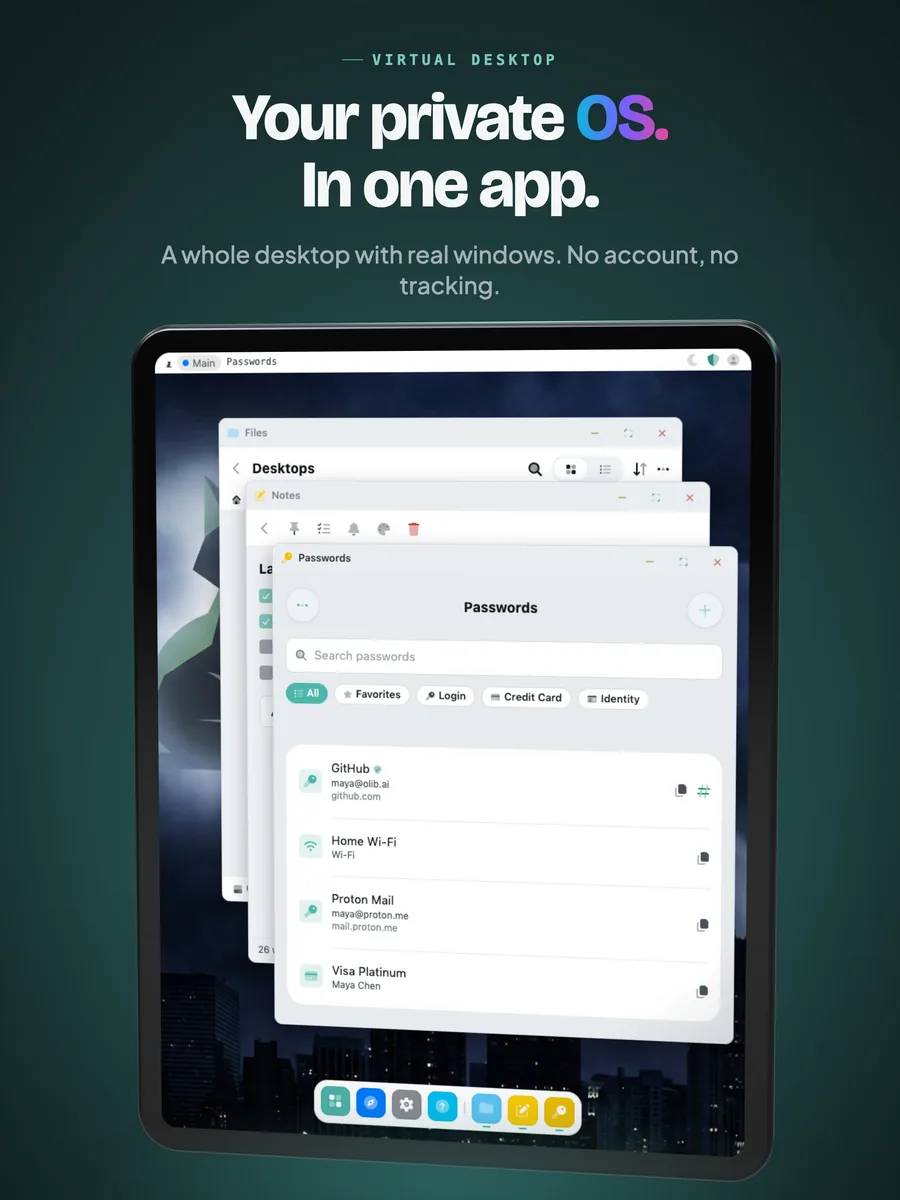
Your private OS.In one app.
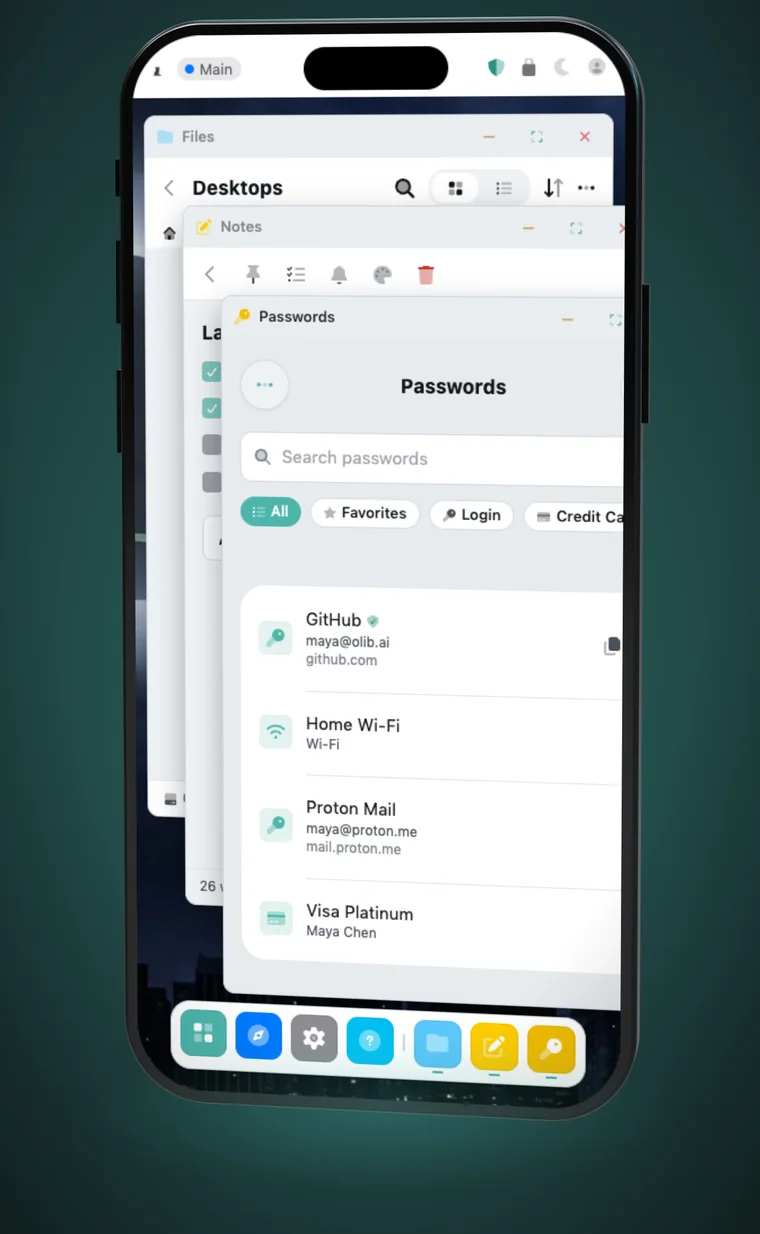
StealthOS opens a whole desktop inside one app, locked behind your own password. Real windows you can move, resize or make full screen, a dock for your apps, and nothing that ties it to you.
- Real windows and a dock
- Files, Notes, Voice Notes and more
- No account, no sign up, no tracking
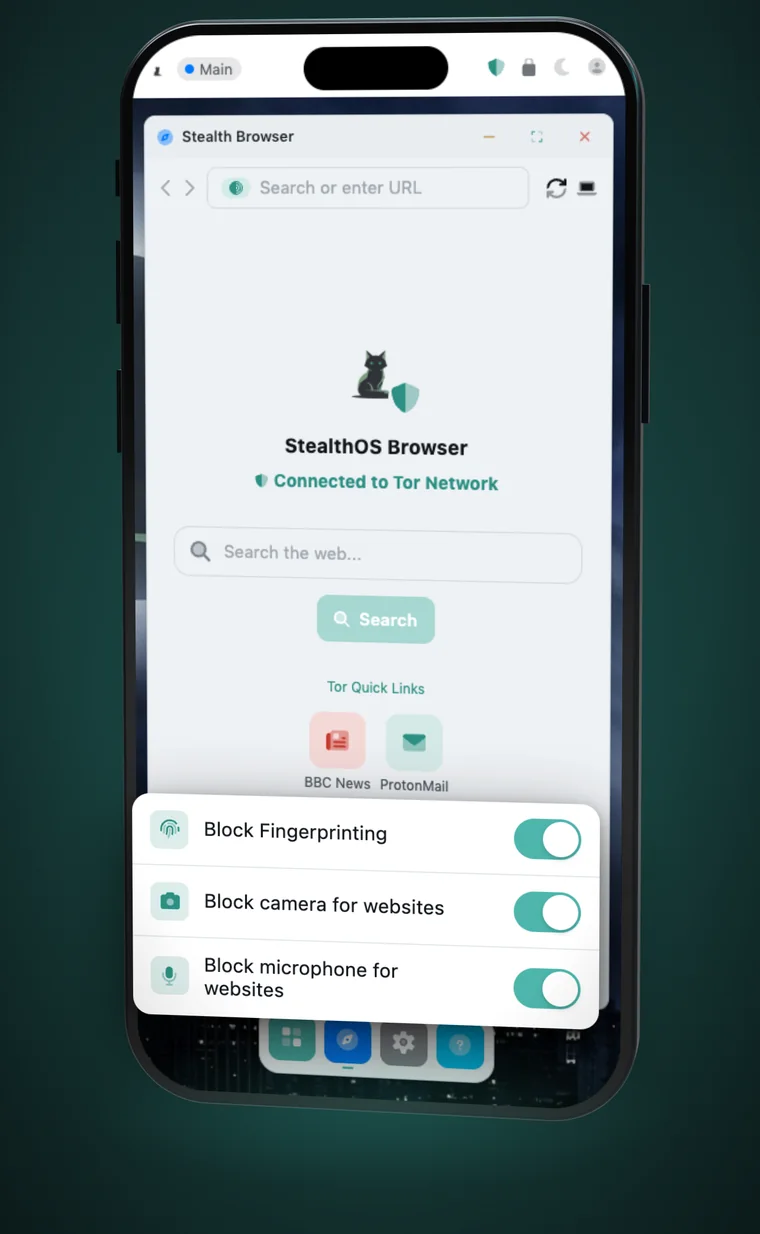
Tor built in.Fingerprint masked.
Stealth Browser connects through a Tor client that runs inside the app, opens .onion sites, and hides the details sites use to fingerprint you. Camera and microphone stay blocked unless you allow them.
- Embedded Tor with .onion support
- Anti-fingerprinting device profiles
- Block camera and microphone for websites
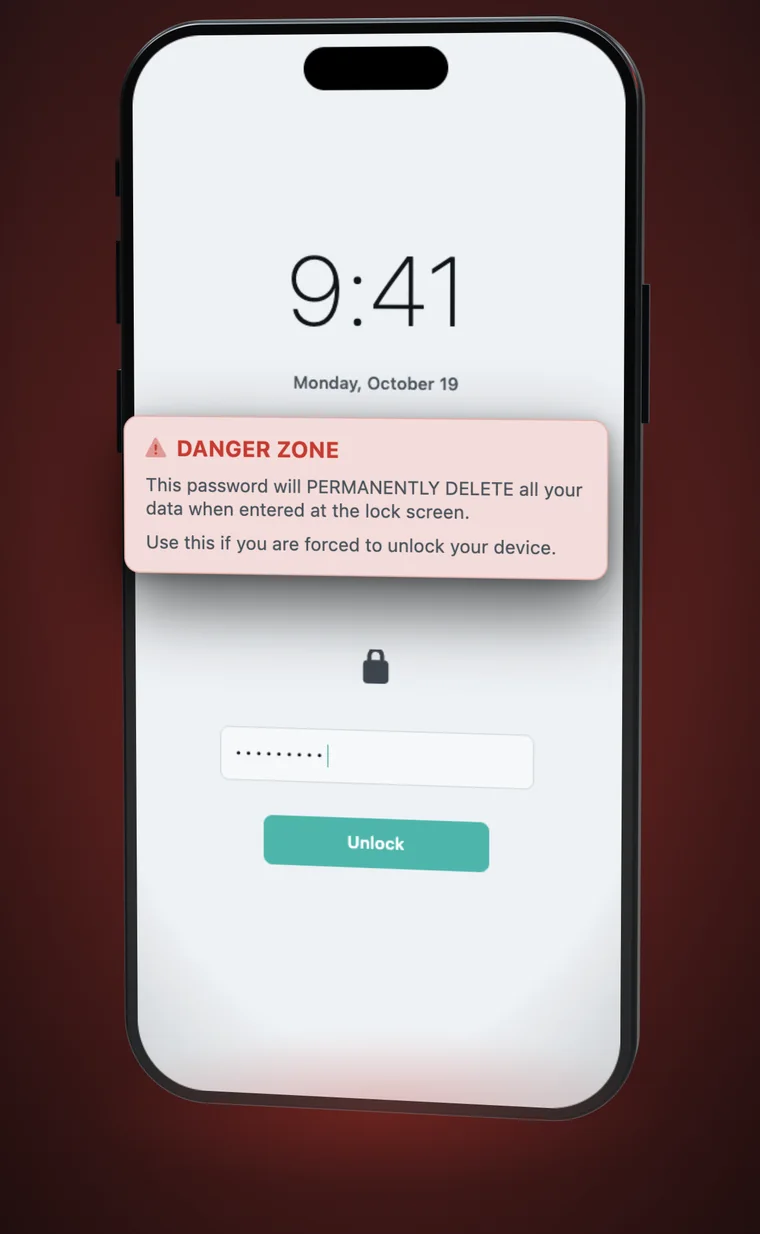
Forced to unlock?They get nothing.
Set a second password for the moment someone makes you open the app. Type it instead of your real one and everything in StealthOS is permanently deleted. It looks like a normal unlock, onto a fresh, empty desktop.
- A separate panic password
- Everything permanently deleted
- Looks like a normal unlock
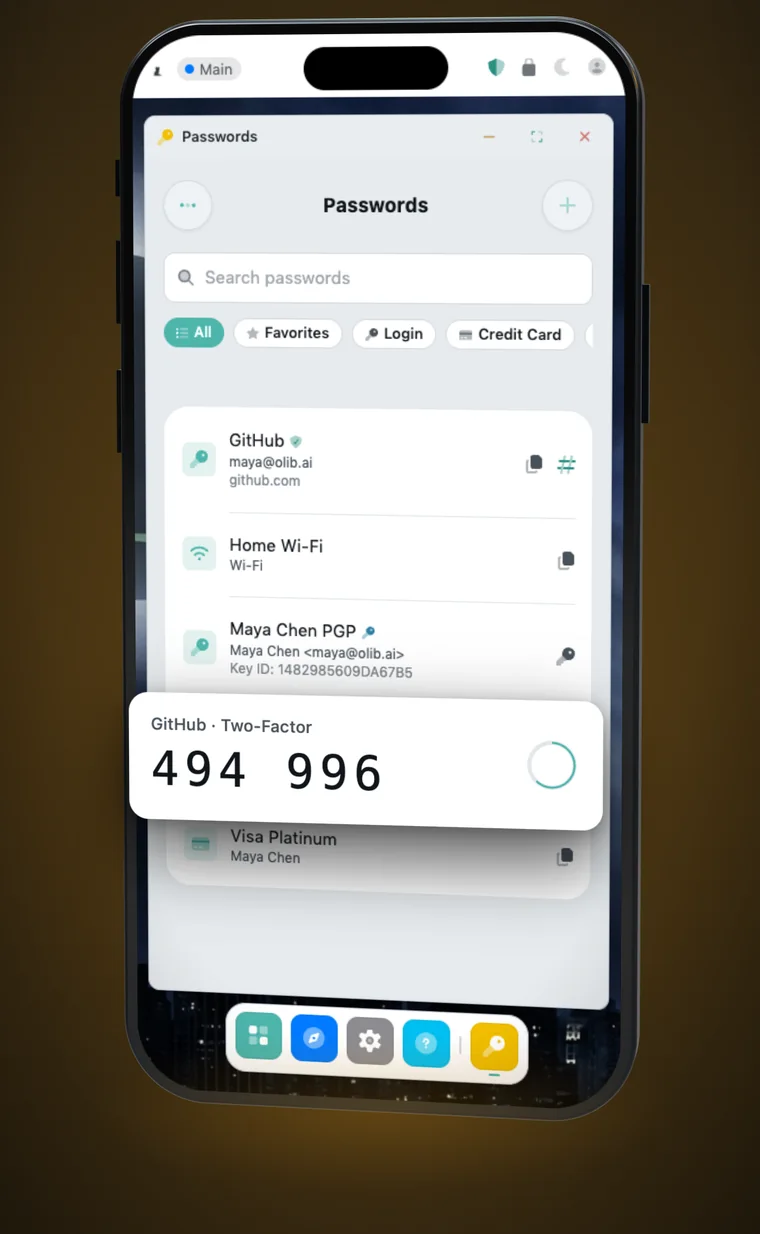
Passwords and 2FA.Sealed.
Logins, cards, Wi-Fi and PGP keys live in an AES-256 encrypted vault, with live two-factor codes next to the accounts they protect and autofill when you sign in.
- AES-256 encrypted on your device
- Live two-factor codes
- Autofill in Stealth Browser
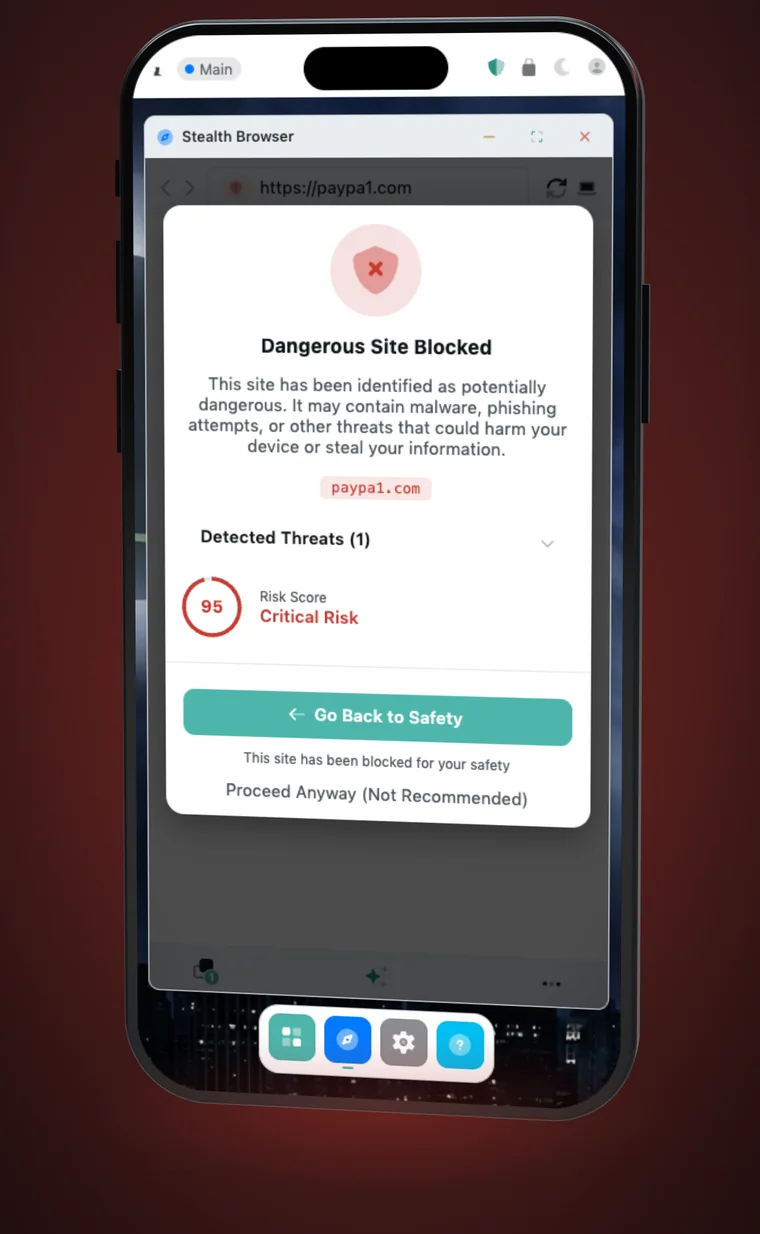
Scams stoppedbefore they load.
Every page you open is checked for phishing and scam patterns, on your phone. Risky pages are stopped with a clear risk score before you type anything into them.
- Phishing and scam detection
- A risk score for every page
- Runs on your device
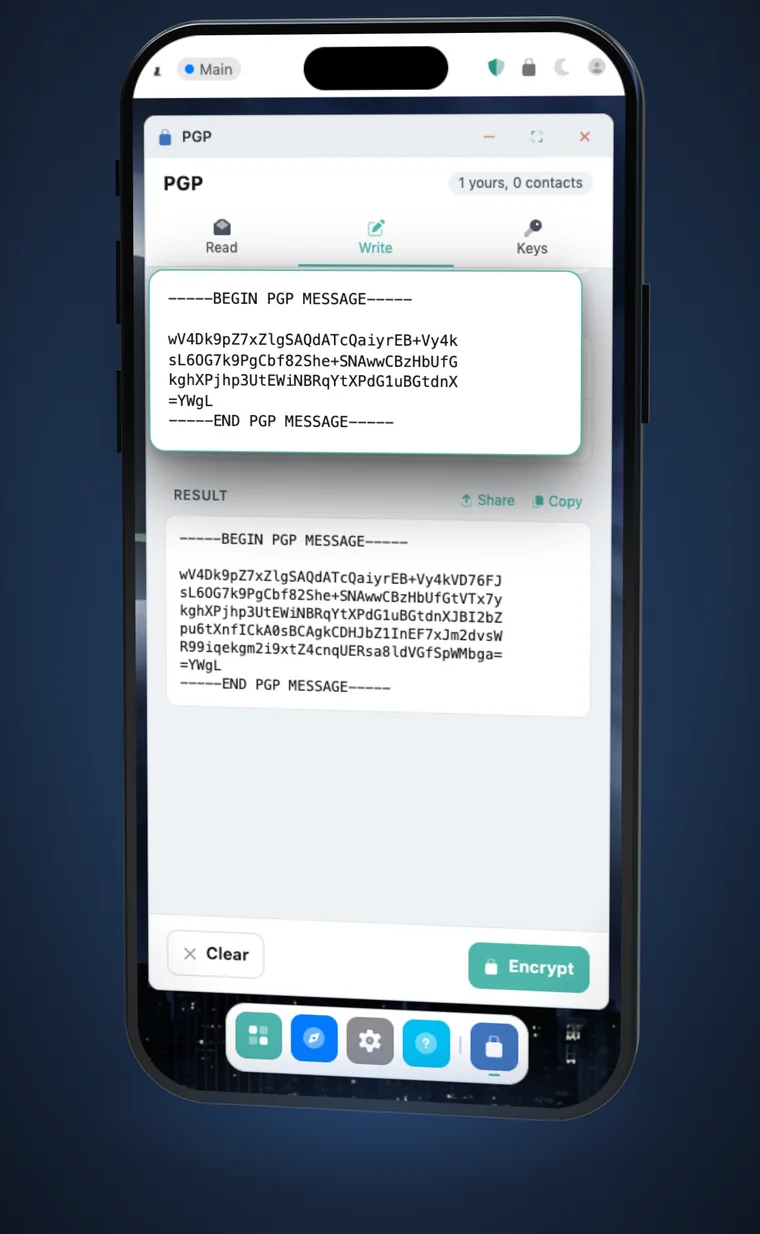
Real PGP.Opens anywhere.
Create keys, then encrypt, sign and share messages and files with standard OpenPGP. What you send opens in GnuPG, Proton Mail and Thunderbird.
- Encrypt, decrypt, sign and verify
- Standard OpenPGP keys
- Works with GnuPG, Proton Mail, Thunderbird
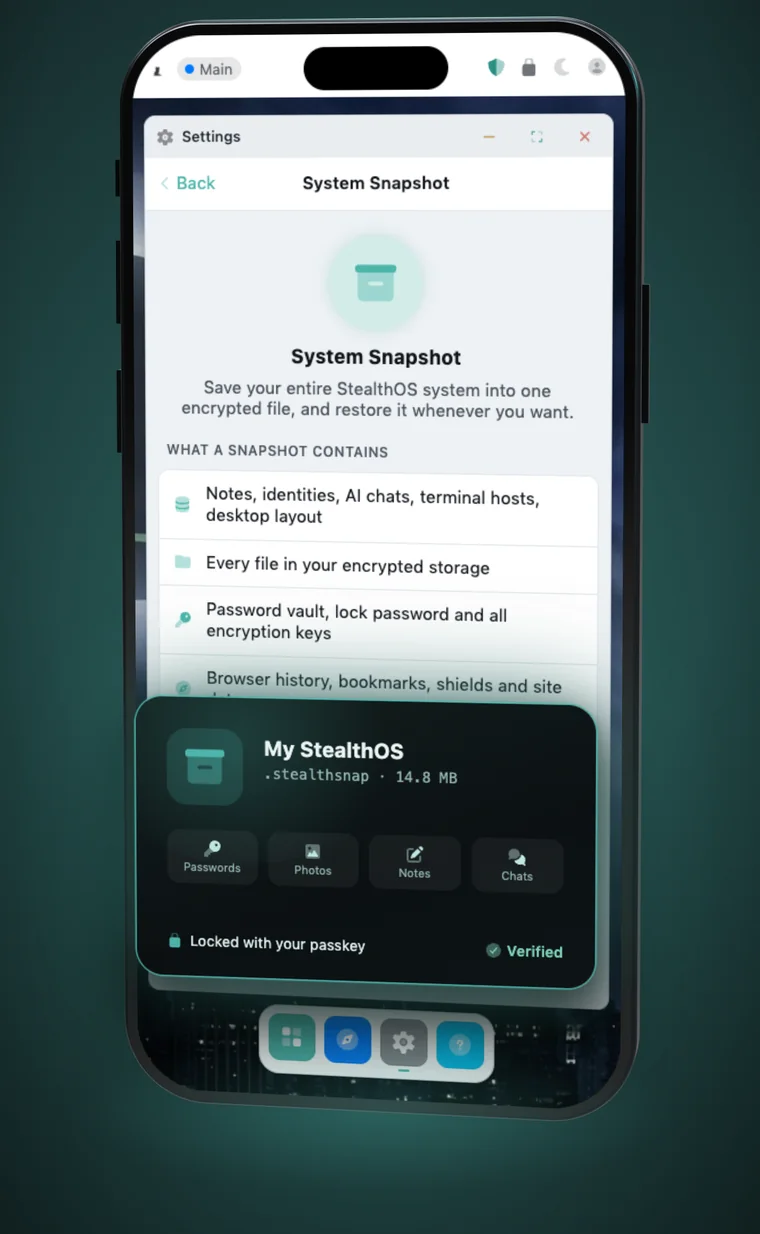
One file.Everything back.
Save your whole StealthOS system to one encrypted snapshot file. Restore it later and everything comes back, exactly as you left it. Only your passkey opens it.
- Your whole system in one file
- Encrypted with your passkey
- Restore in one step
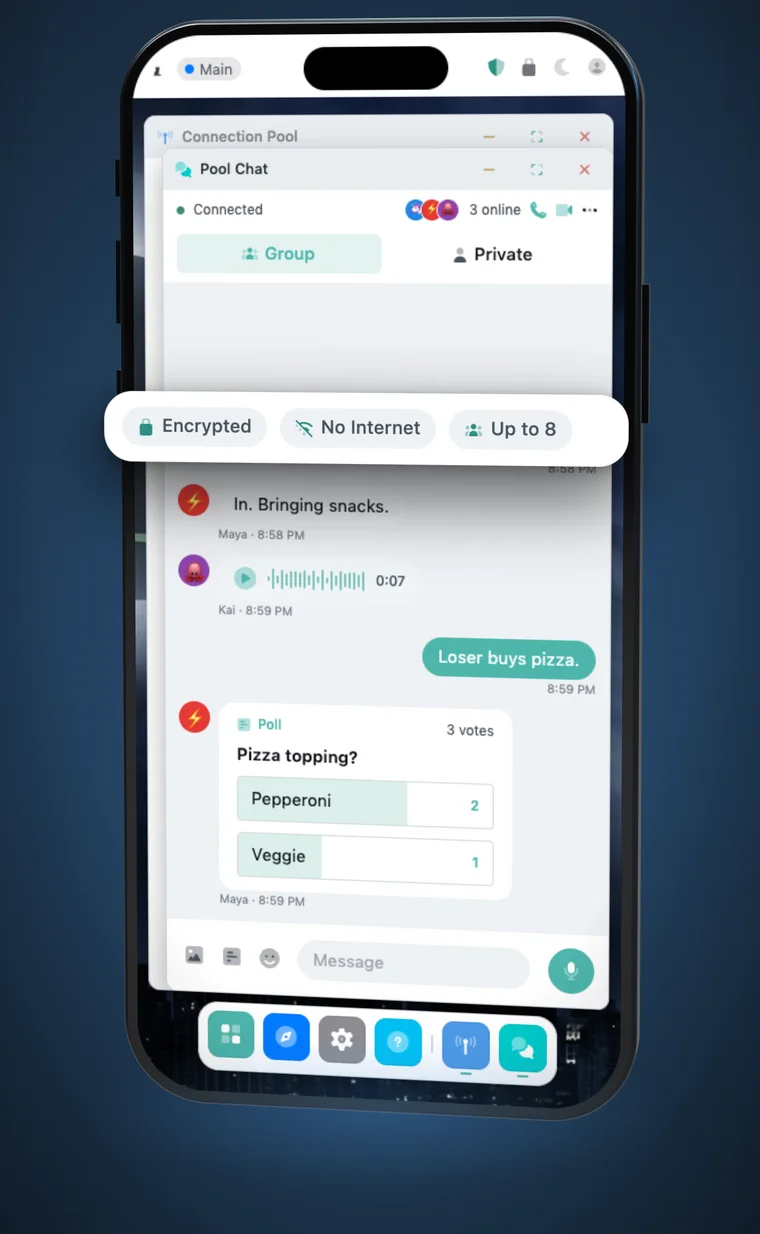
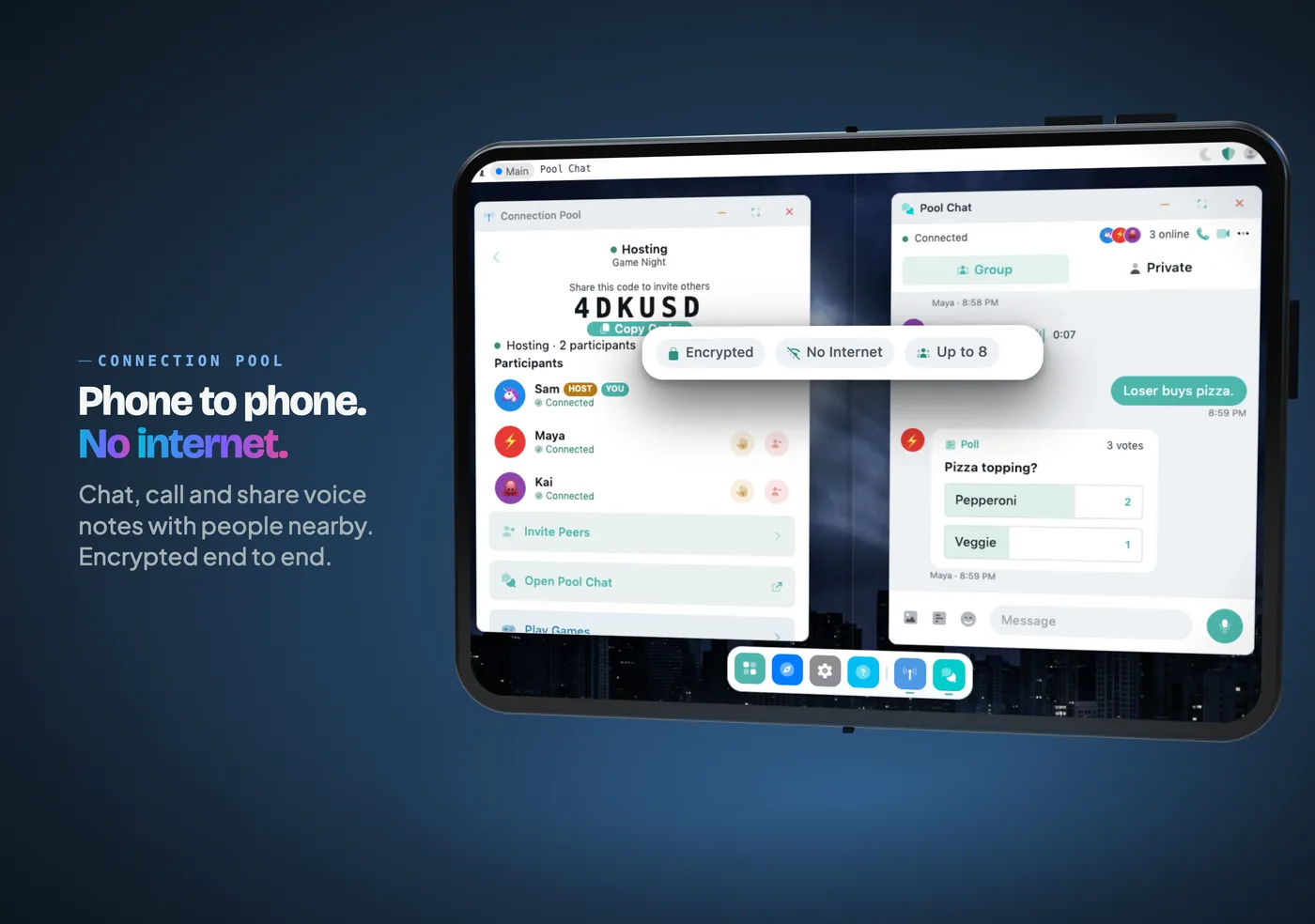
Phone to phone.No internet.
Start a pool and the people around you join over Wi-Fi and Bluetooth, with no signal and no server. Chat, call and send voice notes, encrypted end to end. Far apart? Run your own StealthRelay and friends can join from anywhere, even from a web browser.
- Up to 8 people nearby, offline
- Up to 16 through your own relay
- Friends join from the relay web client
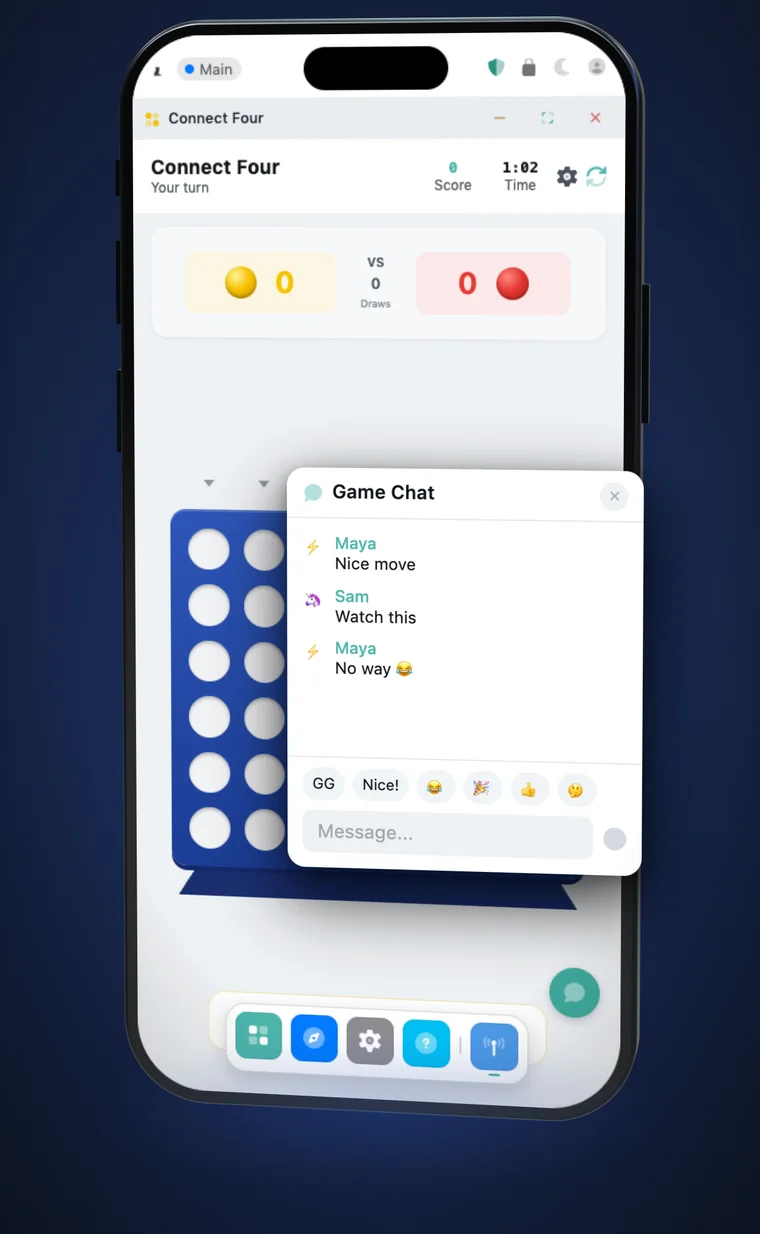
Game night.Chat mid-game.
Play Chess, Connect Four, Ludo and more with the people in your pool, with chat bubbles right inside the game. Pool, chat, calls and games are all free.
- Chess, Connect Four, Ludo and more
- In-game chat
- Free, no account
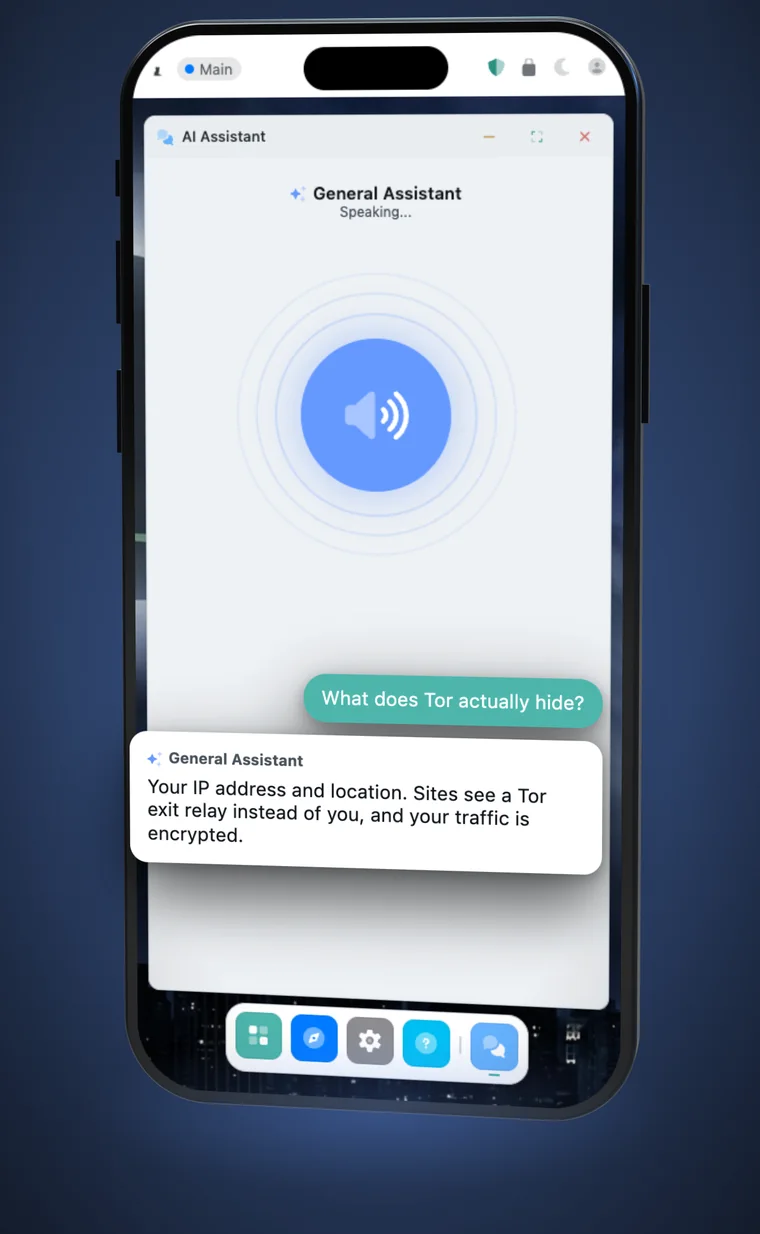
Your AI.On your device.
Talk to it in voice mode, or use more than 20 AI tools for writing, coding and research, powered by Apple Intelligence on your device. Your prompts never leave your phone.
- Voice mode
- 20+ tools for writing, coding, research
- Apple Intelligence, on device
See it inthirty seconds.
Three short films, made from the real StealthOS interface.
Made for iPhone.Roomy on iPad.
The desktop fits the screen it is on, from a phone in your pocket to an iPad and the foldable iPhone.
Don't trust us.Read the code.
The parts that carry your data between devices are public on GitHub, so anyone can check them.
Straight answers.
What is StealthOS?
StealthOS is a private operating environment for iPhone and iPad. One app gives you a desktop with real windows, a private browser with Tor built in, an encrypted password vault, OpenPGP, encrypted snapshots, offline chat, calls and games, and on-device AI. There is no account and no tracking.
Is StealthOS free?
Yes. The desktop, Stealth Browser with Tor, the password vault, the panic password, PGP, snapshots, Connection Pool chat, calls and games, and the AI tools are free. Premium adds pro tools: Terminal, a Linux shell, the Code Editor, NetMap and extra fingerprint profiles.
Does StealthOS route all of my phone traffic through Tor?
No. StealthOS is not a VPN. Tor and anti-fingerprinting protect what you do in Stealth Browser inside the app. Other apps on your phone are not affected.
What does the panic password do?
You set a second password next to your real one. If you are ever forced to unlock StealthOS, type the panic password instead. Everything in StealthOS is permanently deleted and the app opens to a fresh, empty desktop, so it looks like a normal unlock. The deletion cannot be undone, so keep an encrypted snapshot somewhere safe.
How does Connection Pool work without the internet?
Nearby phones connect directly to each other over Wi-Fi and Bluetooth, with no signal and no server. Up to 8 people can join a nearby pool. For people far apart, you can run your own open-source StealthRelay: up to 16 people can join a pool through it, including friends who join from a web browser with the relay web client. The relay is open source and you host it yourself.
Does StealthOS collect analytics or telemetry?
No. There is no account to create, and the app has no analytics or tracking SDKs. Your passwords, files and browsing data stay on your device.


Privacy you canhand over.
Free on the App Store for iPhone and iPad. No account needed.